A place for every lesson.
Open your subjects and school textbooks. Find the material you need and pick up where your lesson begins.
Subjects & textbooksBig ideas start on a blank page. Bring your lessons, handwritten notes, homework and tests together with Scholar Leaf.
Get the Android appMade for your school day. Built for your tablet.
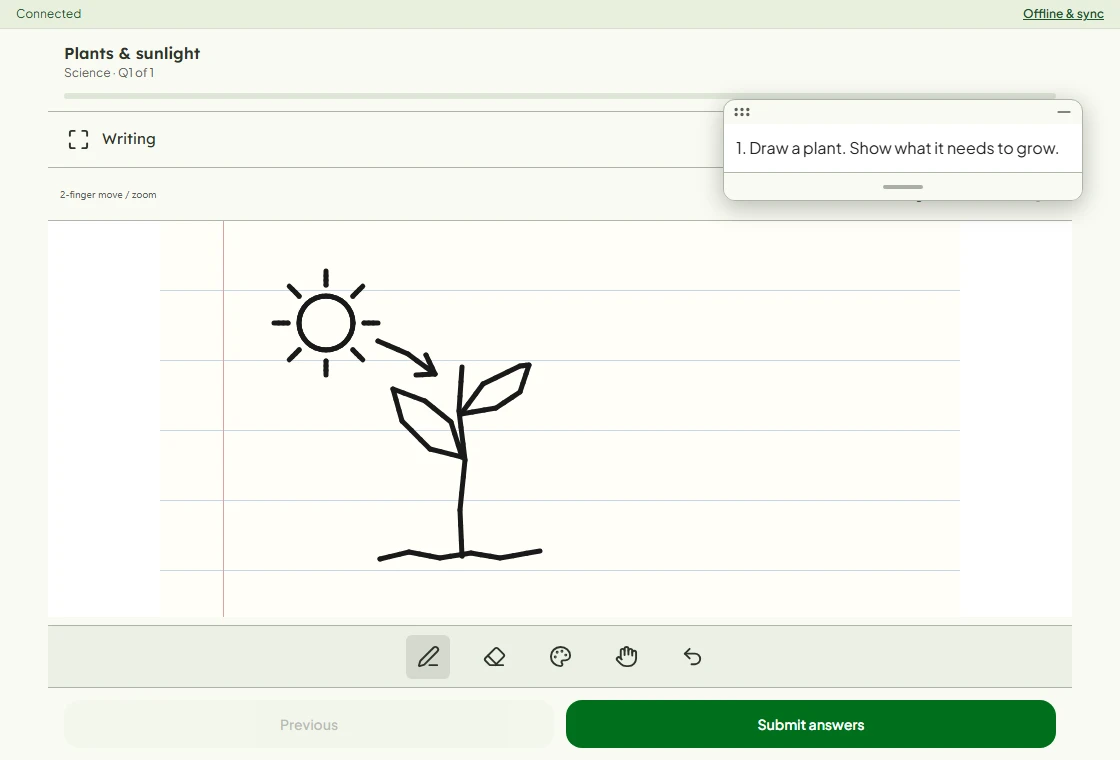
From opening a textbook to handing in a test, keep the school day in one familiar place.
Open your subjects and school textbooks. Find the material you need and pick up where your lesson begins.
Subjects & textbooksWrite notes, work through an answer and sketch an idea. Move the question paper aside when you need more space.
Notes & handwritten answersFind assigned homework and tests, submit your work, and return to your results and submission history.
Homework & testsOne school. Everyone connected.
A shared school day, with the right tools for each person.
Open school administration
Get Scholar Leaf on your Android device.
Your school will provide your sign-in details.
Direct APK download. Android phones and tablets.
Open this page on your Android device and tap Download for Android.
Open the downloaded APK. If Android asks, allow your browser to install this app, then turn that permission off afterwards.
Open Scholar Leaf and sign in with the account details provided by your school.
Using a school-managed tablet? Your school administrator may need to install the app for you.
Yes. Scholar Leaf connects you to your school. Ask your school administrator for your account ID and password if you do not have them yet.
The download on this page is for Android only. It will not install on iPhone or iPad. School administrators can use the web admin portal in a browser.
Download this version and open the APK to update. If Android says the app cannot be installed, contact your school administrator before uninstalling anything, especially if you have work that has not synced.
Start with your school administrator for account access and class details. For help with Scholar Leaf itself, contact Pravile.